
Introducing the ScrollTop Plugin Enhancing Back To Top Button of Divi
This plugin provides the following features for Back To Top button:
– Enable/Disable Back To Top button on different devices (Desktop/Tablet/Mobile);
– Add any text to the Back To Top button(e.g. “Go to top”);
– Select a different icon;
– Use 1 or 2 icons with text or use text only;
– Change Back To Top button position(adjust the bottom and right offsets);
– Change icon position (place it on the left or right hand side of button text);
– Apply new animations: select among 14×2 animations (in & out) and adjust animation duration;
– Lots of options to style the look and feel of the Back To Top button (colors, margins, paddings, borders, border radius, etc.);
– Apply hover styles to button, icon and text;
The ScrollTop plugin options can be accessed by going to Divi -> Theme Customizer -> Divi ScrollTop. Watch the short video presentations and see a few examples of back to top button styles achieved using the ScrollTop plugin below.

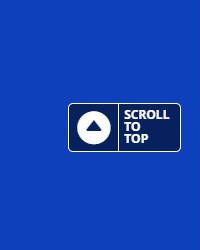

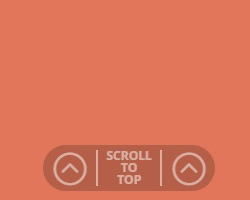
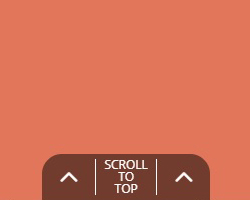



The ScrollTop plugin is available for purchase in our online store, for more details please click here.
Please feel free to share your thoughts and suggestions in the comments section below and subscribe to stay in touch!
Hi,
I got the scroll to top plugin, installed it but it doesn’t appear.
Any ideas?
Thanks,
Roy
Hi Roy.
Thank you for purchasing the Scrolltop plugin. Please make sure the back-to-top button is enabled in Divi -> Theme Options, otherwise you won’t be able to use it.
If you are still having issues please send a support query to the support email (look for it in the readme file).
Thanks! That’s it.